Back Stagecoach, We've got you
Gainsborough
 

Tips to using the bus

New to the bus?

Don’t worry we’ve got you. Here’s a few tips to ensure you have a comfortable journey and get to where you need to be on the best value ticket!
 

How to use your timetable

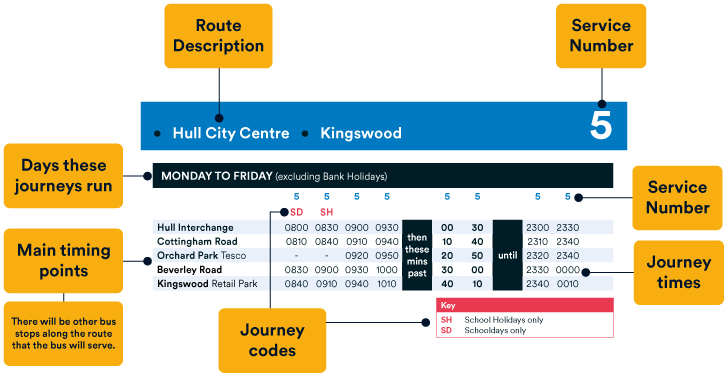
Timetable diagram

  • Find the journeys for the day you wish to travel. There will be a Monday to Friday and a Saturday. Sometimes there's a Monday to Saturday or Daily timetable. Don't worry, these will always be together on the same timetable.
  • Find the main timing point closest to the location you wish to board and think about what time you wish to arrive at your final destination. The journey runs from top to bottom of the column.
  • You'll notice there's a 'then these mins past' and an 'until' column. The times between these columns means the bus will run at those minutes past each hour until specified otherwise.
  • Check if there's a journey code to ensure the journey runs on the day you wish to travel. Journey codes are not always about days, they can also be about routes or times. So please check the key.
  • Once you've got your journey, you're ready for the next step.


You can find all Gainsborough timetables on our website here – save this page as all updates can be found here first!


Hop on boardAll aboard!

If you’re paying on the bus, just advise the driver of where you’re going and if you want a single, return, day ticket, week ticket or group ticket.

Pay by contactless and just tap the ticket machine with your card or phone – easy!

If you have bought your ticket on the app just have your app ticket ready to show.

If you are 19 and under ask for a Young Persons ticket, whether that’s a single, return, day ticket or week ticket. You may need to show ID.


Quick question!

Bus driver
When you board if you have a question, please just ask the driver, they are there to help ensure you have a safe and enjoyable journey with us.


Bus StopFinding your nearest bus stop

Not sure where your nearest stop is? Use our Journey Planner on our app to help find it – just enter your start and end point to plan your journey.


Selecting your ticket

Choose the best value ticket for you – have a look here for more details.


Catching your bus - hand out!

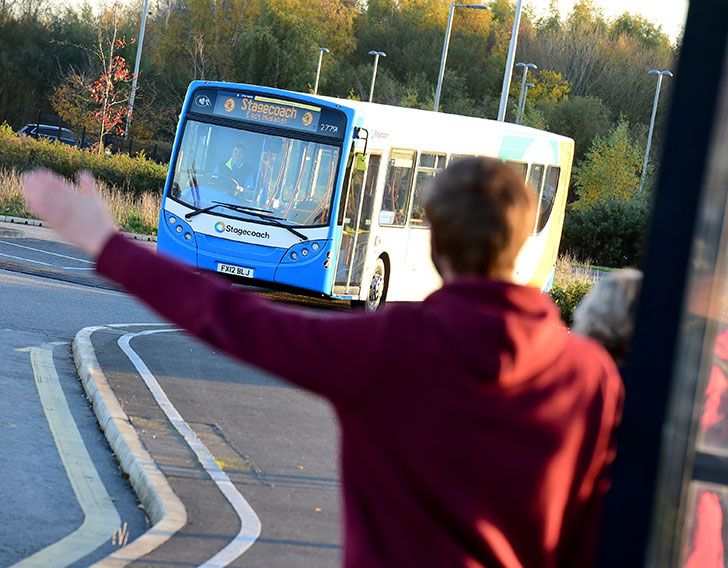
When you’re at the stop, to help ensure the driver sees you just put your hand out when you see your bus approaching.


Track your journey

If you’re not sure where your stop is for alighting don’t be afraid to ask the driver, alternatively, track your location on the live bus map on the app

Stop Bell

Bell time!

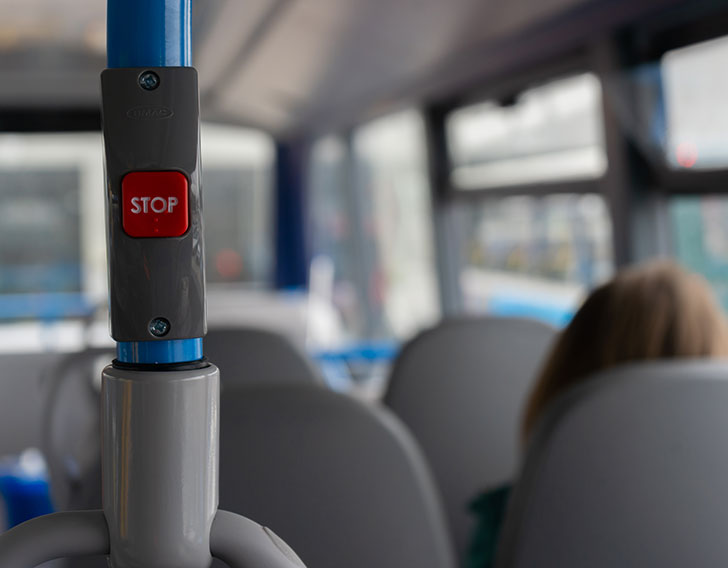
Coming up to your stop? Just press the bell so the driver knows you wish to get off at the next stop. There's always a stop bell within reach from your seat. Stay seated until the bus stops at your stop.


Catching your bus from the Interchange

Each bay is numbered and has a digital screen to tell you which service runs from that bay.


On bus features

  • Priority seating at the front of the bus for the less able
  • Wheelchair and buggy spaces
  • Low floor access, entrance lowers to pavement height
  • USB charging points on newer vehicles
  • Space for luggage


To get any live updates on timetables (and more) just follow us on Twitter (X) @StagecoachEmid.